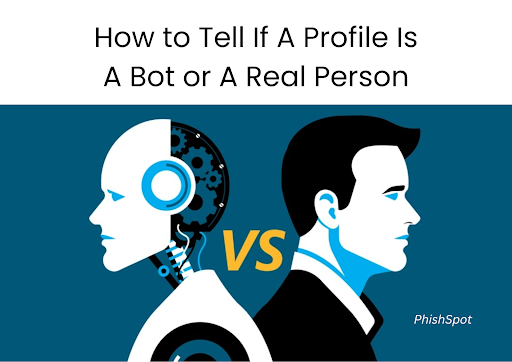
How to Trace a Fake Social Media Account: The Complete Guide
Discover how to trace fake Instagram, Facebook, or TikTok accounts. Learn how AI and advanced tools reveal impersonators and protect your identity.
Introduction
According to Statista, Meta reports that billions of fake accounts are removed yearly but many go undetected until it’s too late.
”Fake profiles have become a serious threat on social media. Whether it's someone impersonating your brand or an anonymous account spreading disinformation, fake accounts are dangerous and increasingly sophisticated.
Have you ever received a DM from someone with zero posts, a shady profile photo, and a generic “Hello dear”? Or maybe someone is using your pictures to scam others? These are real problems in the digital world.
In this guide, we’ll walk you through:
- How to spot a fake Instagram or Facebook account
- Why impersonators create fake profiles
- Tools to trace fake accounts
- How to report and protect yourself
- How AI tools like PhishSpot.ai help you detect and prevent identity theft
- FAQs about tracing and identifying fake users
By the end of this guide, you’ll know how to detect, trace, and report fake accounts on Instagram, Facebook, TikTok, and beyond.
What Is a Fake Social Media Account?
A fake social media profile is a fraudulent account created to mimic a real person or to impersonate someone online. These profiles often use stolen photos, misleading bios, and fabricated interactions.
Types of Fake Accounts & Their Goals
Understanding the different types of fake social media accounts is crucial when learning how to spot fake profiles and protect your identity or brand. Each fake account is created with a specific intention, ranging from stealing information to spreading misinformation. Here are the most common types—and what they’re trying to achieve.
1. Impersonator Accounts
These are fake profiles that copy your photos, name, or bio to appear as you. They’re often used to:
-
Scam your followers by asking for money or promoting fake giveaways
-
Send phishing DMs with malicious links
-
Damage your online credibility 🔍 How to detect: Look for duplicate images, unusual usernames (like _janet_officiall or janet.0fficial), and message patterns asking for money or info.
2. Bot Accounts
Bots are automated profiles that mimic human activity. They're commonly used to:
-
Mass-like, comment, or follow to inflate engagement
-
Spread spam links or promotions
-
Manipulate trending topics 🤖 Red flag: If an account posts or comments every 5 seconds or uses generic phrases like “Nice pic!” on hundreds of posts, it’s likely a bot.
3. Scam/Fake Business Profiles
Some fake Instagram or Facebook accounts pose as brands or agencies to:
-
Offer fake collaboration deals to creators
-
Collect personal data under the guise of brand registration
-
Promote crypto or giveaway scams ⚠️ Tip: Always verify DMs from businesses look for typos, no official website, and sketchy Google Forms.
4. Catfish Accounts
These fake profiles use stolen photos and made-up bios to lure people into personal relationships. They may:
-
Try to extract money or gifts from victims
-
Steal emotional trust or blackmail people
-
Appear friendly with “Hello dear” or “I saw your profile and liked it” 📸 Pro Tip: Use reverse image search to detect stolen profile pictures.
5. Troll & Harassment Accounts
Some people create fake profiles just to spread hate, harass others, or stir up arguments. These often include:
-
Anonymous or faceless profiles
-
Aggressive language or threats
-
Constant negative engagement 🚫 What to do: Block, report, and never engage. Platforms like Instagram and TikTok allow quick flagging for abuse.
6. Fake Influencer Accounts
These accounts buy fake followers, likes, and views to appear popular. They're often used to:
-
Secure brand deals based on inflated engagement
-
Scam other users with affiliate links or product promotions 📉 Why it matters: Fake influencers hurt real marketing ROI. Use tools like PhishSpot.ai or HypeAuditor to verify influencer authenticity.
If you want to know how to spot a fake Instagram account or detect a fake profile on Facebook, you have to first understand the motive behind it. Whether it's phishing, catfishing, or reputation sabotage, every fake profile has a digital footprint and AI tools can help you track and stop them before damage is done.
Common Goals of Fake Accounts:
- Scamming individuals through phishing DMs
- Spreading spam or malware
- Buying fake likes and followers
- Stealing your online identity
- Harassing or stalking individuals anonymously
According to Statista, Facebook alone removed over 1.3 billion fake accounts in 2023.
Why Do People Create Fake Profiles?
Fake accounts can exist for various purposes:
- Impersonation for scams (romance, financial fraud)
- Bot activity to inflate likes or views
- Cyberbullying or harassment
- Corporate sabotage
- Phishing attacks that lead users to malicious links
According to Norton, many impersonators create multiple accounts to exploit your identity across platforms.
Signs You’re Dealing With a Fake Account
Knowing how to spot a fake profile is the first step in tracing it. Look for these red flags:
1. 📸 Suspicious Profile Pictures
- Blurry or stolen images
- Reverse search the profile picture on Google Images
- Use TinEye to verify image origins
2. 👥 Inconsistent Follower Ratio
- Follows thousands, followed by only a handful
- No real engagement or connection
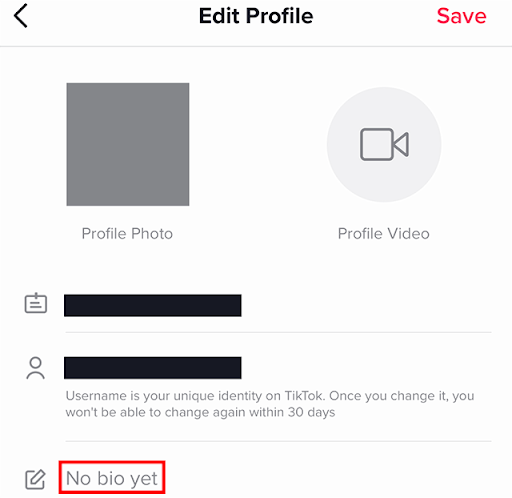
3. 🧠 Generic Bios
- Bios with little or no useful information
- Random hashtags or spammy links
4. 🕒 Activity Timing
- Posts several times a day or all at once
- Follows dozens of people instantly
5. 💬 Spammy or Repetitive Comments
- Generic phrases like "nice pic" or "so pretty"
- Promoting fake giveaways or crypto scams
For example, bot accounts on Instagram often leave repetitive emoji comments across many pages within minutes.
How to Trace a Fake Social Media Account
So how can you trace who’s behind a suspicious profile?
🔍 Step 1: Reverse Search Profile Photos
Use tools like:
- Google Reverse Image Search
- TinEye
- Yandex Image Search

These tools can reveal if the image appears elsewhere online such as in stock photo databases or on other social accounts.
📍 Step 2: Analyze Username Patterns
Fake accounts often use usernames like user_1234901 or names with underscores and numbers. Search these patterns on:
You might find other accounts using the same alias.
🧾 Step 3: Monitor IP Location (Advanced)
While platforms like Instagram or Facebook don’t reveal IP addresses to users, legal teams or law enforcement can trace them through court orders. However, tools like Grabify can create tracking URLs if the user clicks a link you send (⚠️ use responsibly).
🤖 Step 4: Use AI Tools Like PhishSpot.ai
PhishSpot.ai scans social profiles and flags suspicious behavior based on:
- Image metadata
- Bot-like engagement
- Follower spikes
- Phishing link detection
- Impersonator alerts
It’s the easiest way to detect fake accounts across Instagram, TikTok, Facebook, and OnlyFans.
What to Do When You Discover a Fake Account
Once you’ve identified a suspicious profile, here’s what to do next:
🚫 Step 1: Report the Account
Use official platform tools:
Choose "Impersonation" or "Fake account" as the reason.
🛡️ Step 2: Warn Your Followers
If someone is impersonating you, post a warning to alert your audience and prevent them from falling victim.
🔒 Step 3: Strengthen Your Privacy Settings
- Enable 2FA (Two-Factor Authentication)
- Limit who can send you DMs
- Hide personal info like email and phone number
🧠 Step 4: Use PhishSpot for Monitoring
PhishSpot.ai provides:
- Weekly impersonation scans
- Alerts when your name or photos are reused
- A dashboard to track flagged profiles
🧰 Tools you’ll need:
-
[PhishSpot.ai
-
Google/TinEye for image search
-
Platform reporting links
-
Screenshot tool (like Lightshot or Loom)
Legal Options: Can Fake Accounts Be Traced?
Yes, in many cases but it depends.
Platforms Can Trace IPs
Meta, TikTok, and other platforms log IP addresses and login histories. If your identity has been stolen or you’ve been defrauded:
- File a report with the platform
- Request a legal subpoena if necessary
Contact Cybercrime Authorities
If you’re in Nigeria: report impersonation at NCC Cybersecurity.
If in the U.S.: visit the FBI’s Internet Crime Complaint Center.
"In the UK, contact Action Fraud"
"In the EU, file with your country’s cybercrime reporting unit"
How AI Tools Like PhishSpot.ai Detect Fake Profiles
PhishSpot.ai is a leader in AI-based impersonation detection. It uses machine learning models to:
- Analyze posting frequency and activity
- Detect inorganic engagement (bot comments, mass likes)
- Flag usernames linked to impersonation
- Match profile images across the web
- Detect phishing in DMs
AI tools like this help you monitor real-time changes in your digital footprint.
Other useful tools:
Real-Life Case: Influencer Impersonation
A beauty influencer in Texas discovered 3 fake accounts using her photos to run “gift card” scams. With PhishSpot.ai, she was alerted within 5 minutes of a new impersonator going live.
Result:
- All accounts were reported and removed within 24 hours
- She posted a warning to her 90K followers
- Her trust score with brands increased due to transparency
Long-Term Protection Against Fake Profiles
✅ Use AI Monitoring Tools
Track impersonators across platforms with PhishSpot.ai
🔐 Protect Your Profile
- Avoid sharing personal data
- Set your profile to private (if personal)
- Don’t accept DMs from unknown profiles
💬 Educate Your Audience
Tell followers:
- You will never ask for money in DMs
- Report suspicious behavior immediately
🤝 Collaborate with Trusted Brands
- Work with brands that vet influencer accounts
- Avoid partnerships with people using fake engagement
💡 Set Google Alerts
- For your full name,
- Brand name, and
- Username to detect unauthorized mentions across the web.
FAQs: Fake Accounts & Tracing
Q1: Can fake accounts be traced?
Yes, with the right tools or legal support, most can be traced via IP addresses or account behavior.
Q2: Can I find out who is behind a fake Instagram account?
It’s difficult without law enforcement, but tools like PhishSpot offer clues based on behavior and content.
Q3: How do I report someone impersonating me online?
Use the platform’s impersonation report feature and ask others to do the same.
Q4: Are bots the same as fake accounts?
Often, yes. Bots are automated fake accounts programmed to engage or deceive.
Q5: Can AI detect catfishing and fake DMs?
Yes. Tools like PhishSpot.ai analyze message content, grammar, and metadata to flag scams.
Q6: How to know if a profile picture is fake?
Use Google Reverse Image Search or TinEye
Q7: Is impersonating someone online a crime?
Yes. In many countries, online impersonation is a cybercrime and is punishable by law.
Q8: What should I avoid doing when dealing with fake accounts?
Avoid responding, threatening, or sharing your personal info. Always report through official channels.
Final Thoughts: Don’t Let Fakes Win
Every fake profile that impersonates you is a threat to your reputation, trust, and digital safety.
🔐 Be proactive, not reactive.
With PhishSpot.ai , you can:
✅ Detect fake profiles instantly
✅ Monitor your name and images
✅ Flag phishing DMs and bot engagement
Take Action Today:
- Run a profile scan
- Educate your followers
- Use smart tools to stay protected
🔒 Don’t just be social. Be secure, be aware, and stay one step ahead.
📲 Visit PhishSpot.ai and protect your name today.
🎯 Social media is loud but the smart ones monitor.